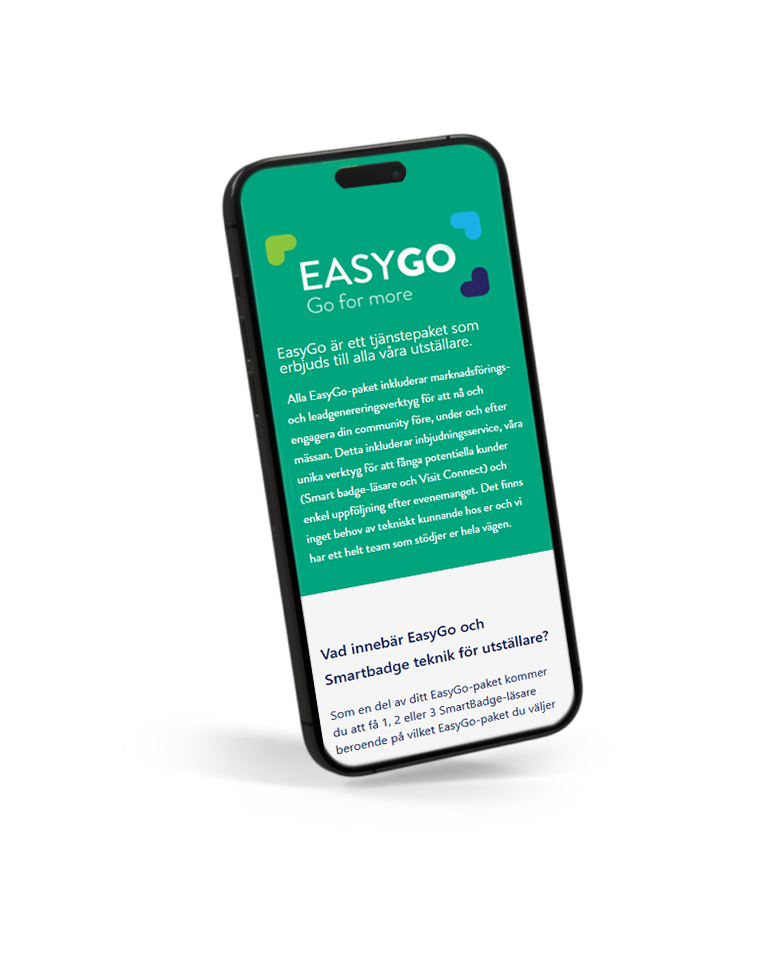
All EasyGo packages include marketing and lead-generation tools to reach and engage your industry before, during, and after the exhibition. This includes invitation services, our unique lead-capturing tools (Smart Badge Reader and Visit Connect), and easy post-event follow-up. No technical knowledge is required on your part, and we provide a full team to support you every step of the way.
As part of your EasyGo package, you will receive 1, 2, or 3 Smart Badge readers, depending on the package you choose.
Smart Badge technology requires no physical contact and ensures a 100% safe event experience. In your My Easyfairs profile, you can upload content for each assigned reader.
At the end of the event day, visitors who have interacted with your reader will receive a visit summary via email.
As an exhibitor, you will also receive all leads collected from your reader at the end of the event. You can easily download the lead export from your My Easyfairs account.
EasyGo makes your participation easier and helps you reach more relevant visitors.
EasyGo supports digital engagement between exhibitors and visitors.
EasyGo offers modern event technology, with no technical knowledge required.
EasyGo ensures you maximize your visibility and lead generation before, during, and after the event.
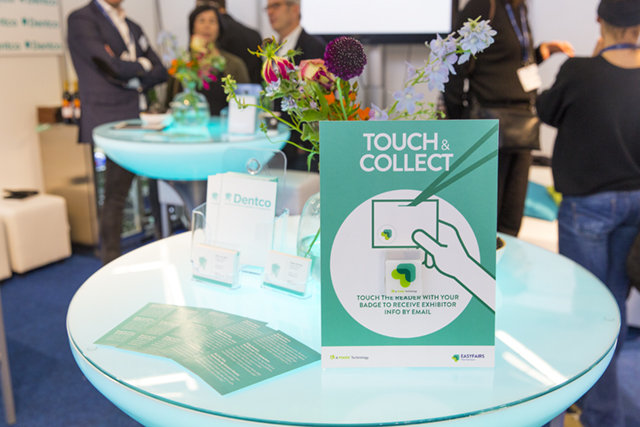
We place your reader in your stand on the first day of the exhibition, and you ensure it’s visible to visitors. With this reader, you can turn your visitors into qualified leads. The reader is a wireless sensor, and when visitors touch it with their Smart Badge (name badge), it automatically collects the information about your company that you have uploaded to My Easyfairs.
The information linked to the reader is sent to visitors in a summary email at the end of the exhibition day.
With all our EasyGo packages, you as an exhibitor receive a compiled list of everyone who interacted with your reader. You can download this list from My Easyfairs after the exhibition.
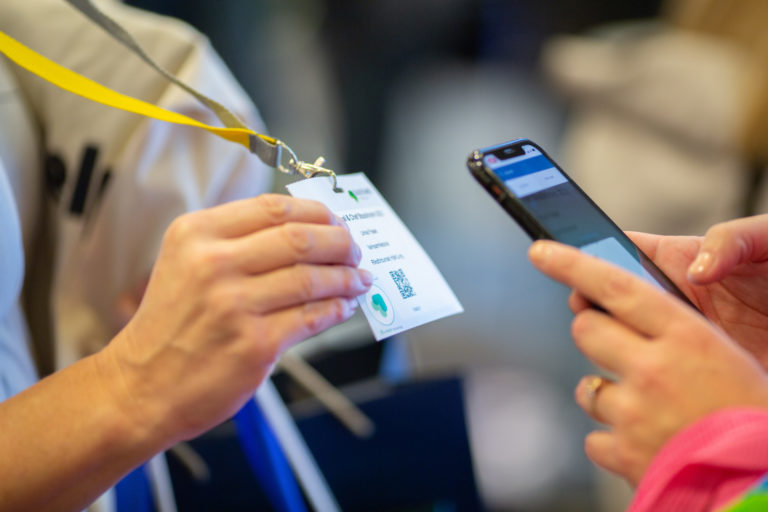
With Visit Connect, you can gather more information about your visitors. Scan the QR code on the visitor’s Smart Badge (name badge) to take notes, answer preset questions, and see which stand staff created the contact. The tool makes follow-up after the exhibition much easier.
You can access Visit Connect in the event app “Easyfairs Nordic.”
In My Easyfairs, you’ll find more information about Visit Connect and Smart Badge.

Turn exhibition visits into
qualified sales conversations.
Build your online presence 365 days a year
Many visitors explore the exhibitor list on the website before attending the exhibition. This is your opportunity to capture their attention and ensure they visit your stand.
Add unlimited products, images, videos, and news to maximize your visibility.
Stand Out in the Innovation Gallery
Do you have a groundbreaking product? Submit it to the Innovation Gallery. If selected, your innovation will receive a prime placement both on the website and on-site (depending on the exhibition). Create anticipation and engagement among visitors even before the exhibition begins.
Invite your contacts and keep track of who’s coming
Send a link and track every registration. We provide ready-made email templates, web banners, and social media posts. See exactly who has registered via your link.
Invite your key customers before your competitors and drive qualified traffic directly to your stand.
Know when your invited guests arrive
Receive real-time SMS notifications when someone you’ve invited checks in, and greet them personally. Turn a cold stand visit into a warm welcome that visitors will remember.
Establish Contact Before You Even Meet
The event app matches you with your ideal customers using AI. See who’s attending, check their interests, send messages, and book meetings. By the first day of the exhibition, you’ll already have a calendar full of qualified meetings.
Turn Your Stand into a Lead Magnet
Place Smart Badge readers around your stand to share information about your company or products when visitors interact with them. Every visitor who uses your Smart Badge reader automatically shares their full contact details with you—even if you never spoke to them. No paperwork, no missed contacts. Take advantage of additional Smart Badge readers in the GoPlus and GoPremium packages for broader stand coverage or product-specific lead tracking.
Scan Badges, Add Notes, Close Deals Faster
Use the event app on your phone to quickly scan participants’ badges and add notes instantly. Your entire team can use the app, view their scanned leads in real time, and easily export contacts and notes.

More leads, stronger
online presence.
Build Your Online Presence 365 Days a Year
Many visitors explore the exhibitor list on the website before attending the exhibition. This is your chance to capture their attention and ensure they visit your stand.
Add unlimited products, images, videos, and news to maximize your visibility.
Stand Out in the Innovation Gallery
Do you have a groundbreaking product? Submit it to the Innovation Gallery. If selected, your innovation will receive a prime placement both on the website and on-site (depending on the exhibition). Build anticipation and engagement among visitors even before the exhibition begins.
Your Logo Where Buyers Look First
Place your logo next to your company name in the exhibitor list. Visitors searching for suppliers see your brand immediately, increasing your visibility and creating more opportunities for contact.
Show a Video Instead of a Static Image
Replace your profile’s header image with a short video to showcase your products in action. Video lets you demonstrate features, benefits, and real-world applications in a way that a static image never can.
Invite Your Contacts and Track Who’s Coming
Send a link and monitor each registration. We provide ready-made email templates, web banners, and social media posts. See exactly who has registered via your link.
Invite your top customers before your competitors and drive qualified traffic directly to your stand.
Know When Your Invited Guests Arrive
Receive real-time SMS notifications when someone you’ve invited checks in, and greet them personally. Turn a cold stand visit into a warm welcome that visitors will remember.
Establish Contact Before You Even Meet
The event app matches you with your ideal customers using AI. See who’s attending, check their interests, send messages, and schedule meetings. By the first day of the exhibition, you’ll already have a calendar full of qualified meetings.
Turn Your Stand into a Lead Magnet
Place Smart Badge readers around your stand to share information about your company or products when visitors interact with them. Every visitor who uses your Smart Badge reader automatically shares their full contact details with you—even if you never spoke to them. No paperwork, no missed contacts. Take advantage of additional Smart Badge readers in the GoPlus and GoPremium packages for broader stand coverage or product-specific lead tracking.
Scan Badges, Add Notes, Close Deals Faster
Use the event app on your phone to quickly scan participants’ badges and add notes instantly. Your entire team can use the app, view their scanned leads in real time, and easily export contacts and notes.

Maximum leads and visibility
both online and on-site.
Build Your Online Presence 365 Days a Year
Many visitors explore the exhibitor list on the website before attending the exhibition. This is your chance to capture their attention and ensure they visit your stand.
Add unlimited products, images, videos, and news to maximize your visibility
Stand Out in the Innovation Gallery
Do you have a groundbreaking product? Submit it to the Innovation Gallery. If selected, your innovation will receive a prime placement both on the website and on-site (depending on the exhibition). Generate anticipation and engagement among visitors even before the exhibition begins.
Your Logo Where Buyers Look First
Place your logo next to your company name in the exhibitor list. Visitors searching for suppliers see your brand immediately, increasing your visibility and creating more opportunities for contact.
Show a Video Instead of a Static Image
Replace your profile’s header image with a short video to showcase your products in action. With video, you can demonstrate features, benefits, and real-world applications in a way that a static image never can.
Capture Visitors’ Attention in Advance
Your company gains increased visibility in the exhibitor list, ensuring that visitors can’t miss you when searching for suppliers.
Reach Visitors with Your Brand Before They Arrive
Your logo is displayed at every step of the visitor registration process:
• Confirmation page after registration
• Confirmation email in their inbox
• Entrance ticket
Dominate the Exhibition’s Most Trafficked Areas
Get noticed where it matters. Your logo or advertisement will appear in the exhibition’s most visited spaces.
Invite Your Contacts and Track Who’s Coming
Send a link and monitor each registration. We provide ready-made email templates, web banners, and social media posts. See exactly who has registered via your link.
Invite your top customers before your competitors and drive qualified traffic directly to your stand.
Know When Your Invited Guests Arrive
Receive real-time SMS notifications when someone you’ve invited checks in, and greet them personally. Turn a cold stand visit into a warm welcome that visitors will remember.
Make Contact Before You Even Meet
The event app matches you with your ideal customers using AI. See who’s attending, check their interests, send messages, and schedule meetings. By the first day of the exhibition, you’ll already have a calendar full of qualified meetings.
Turn Your Stand into a Lead Magnet
Place Smart Badge readers around your stand to share information about your company or products when visitors interact with them. Every visitor who uses your Smart Badge reader automatically shares their complete contact details with you—even if you never spoke to them. No paperwork, no missed contacts. Take advantage of additional Smart Badge readers in the GoPlus and GoPremium packages for broader stand coverage or product-specific lead tracking.
Scan badges, add notes, close deals faster
Use the event app on your phone to quickly scan participants’ badges and add notes instantly. Your entire team can use the app, view their scanned leads in real time, and easily export contacts and notes.
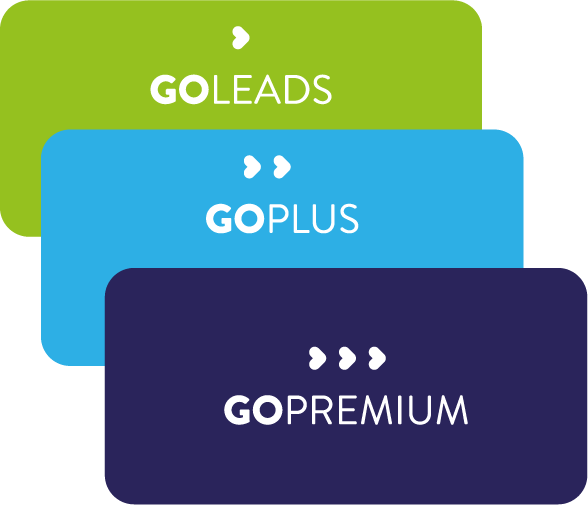
Download our PDF for a comprehensive overview of the different EasyGo packages. Click below for a free download.
Make the most of your Smart Badge reader and generate more leads with enticing offers. Link your reader to exclusive information, new products, or other content visitors won’t want to miss - and most importantly, make it clear to visitors what they will gain by scanning your reader!
Don’t forget to follow up and reconnect with your leads after the exhibition! You can find the leads in My Easyfairs and on the Visit Connect portal.
Smart Badge Reader:
You can find all visitors who have touched your reader in My Easyfairs the day after the exhibition under “View Results” and “Download Leads.”
Visit Connect:
The Smart Badges you have scanned with Visit Connect are available in the event app “Easyfairs Nordic” and in My Easyfairs. The contact person for the exhibition has the login credentials.
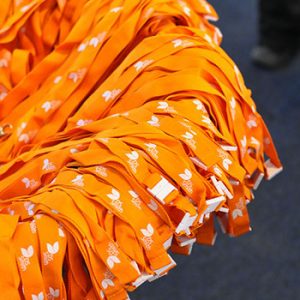
Why not be visible around the necks of all our visitors by sponsoring the lanyards?
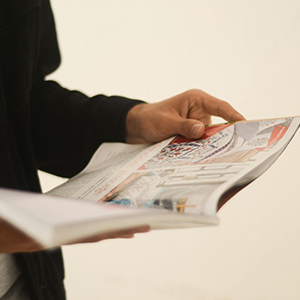
Sponsor the exhibition guide, a favorite that is in the hands of almost every visitor.

Gain extra visibility by sponsoring the exhibition’s popular and well-attended industry networking event.
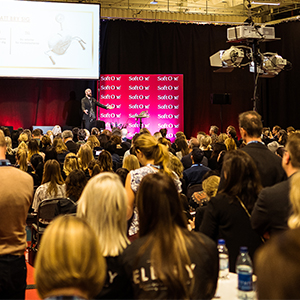
Become “top of mind” by showcasing your brand at the exhibition’s most visited spot, the stage!
Whether you want to know more about EasyGo, My Easyfairs, or anything else, we are here for you. Contact us below, and we’ll find the perfect solution for you!
The majority of visitors plan their visit through our website. The information entered in My Easyfairs is what appears in our exhibitor list on the website. Here, you can showcase your company, products, news, and job postings. During the exhibition, you will have a SmartBadge reader at your stand that visitors can scan with their SmartBadges (name badges). When they scan your reader, the information you have uploaded via My Easyfairs will be sent to them by email.
When your company’s stand was booked, the person who made the booking received an email from “My Easyfairs” with a link to the system, prompting them to confirm their email address and choose a password. The email address serves as the username, and the chosen password becomes the login password. If the password is forgotten, select “Forgot Password” and follow the instructions. In some cases, if issues occur, switching browsers and trying again may help.
• Invite your customers using your personal link
• Register your stand staff
• Create logins for your colleagues so they can also edit information in My Easyfairs
• See which EasyGo package you have booked